


Salesforce WhatsApp Integration
Use Salesforce WhatsApp Integration to connect WhatsApp with Salesforce, automate chats, run bulk campaigns, and manage customer communication effortlessly.
- Inbound / Outbound Messages
- Personalized Bulk Messages
- Automate responses with Flows
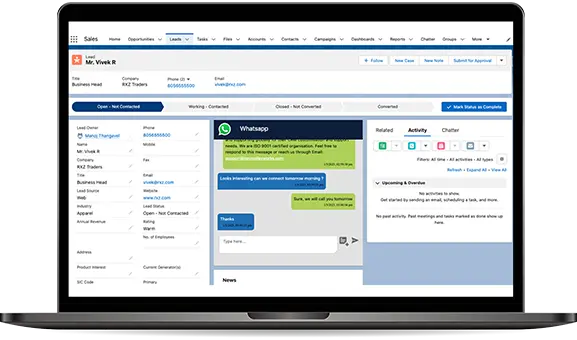


Salesforce WhatsApp Integration Overview
Salesforce WhatsApp Integration brings WhatsApp conversations, customer inquiries, files, and lead communication directly inside Salesforce CRM — helping teams reply faster, automate messages, and manage all chats from one place. No switching between apps, no manual tracking — everything stays inside Salesforce.
With WhatsApp + Salesforce connected, businesses can automate follow-ups, reminders, onboarding journeys, and personalized bulk campaigns using Salesforce Flows — without coding. PDFs, documents, videos, and voice notes are also fully supported, making conversations richer and more interactive.
If you're looking for a ready-made setup, WatBox Salesforce WhatsApp CRM add-on provides a plug-and-play solution — including chat window inside Salesforce, templates, and automation in minutes.
Why Salesforce WhatsApp Integration Matters
Modern customers expect quick and personalized conversations. Whether you're in e-commerce, finance, healthcare, insurance, or education — WhatsApp is already where your customers are. Adding Salesforce WhatsApp Integration helps improve conversions, speed up support, and scale communication across teams.
Want to explore how this setup works for your business? Contact the WatBox team or book a live demo to experience it hands-on.
Experience the Features of Salesforce WhatsApp
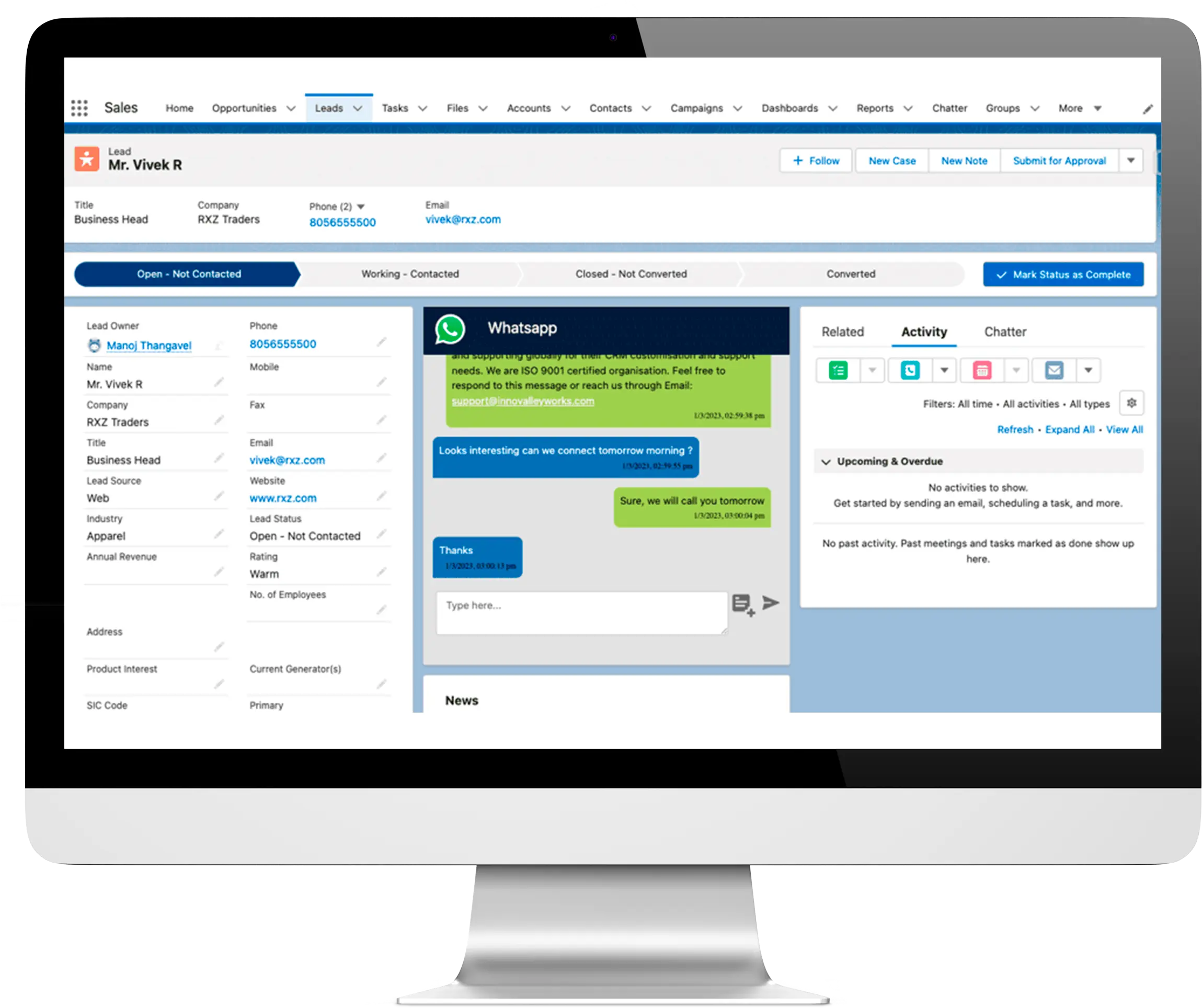
One-on-One Conversation
Engage in personal dialogues with your customers, making them feel valued and heard.
Bulk Promotional Campaigns
Stay updated with real-time notifications for new messages to ensure no customer query goes unanswered.
Notify the New Messages
Reach out to a broader audience with promotional campaigns and status updates via WhatsApp.
Why WatBox is the Best Salesforce WhatsApp Integration
See how WatBox compares to other Salesforce WhatsApp CRM add-ons and why businesses switch to our platform.
| Features | WatBox Salesforce WhatsApp | Other Add-Ons |
|---|---|---|
| Native Salesforce Chat Window | Available | External Dashboard Only |
| Bulk WhatsApp Campaigns | Personalized CRM-Based Campaigns | Extra Add-On / Limited |
| Automations via Salesforce Flows | No-Code Automation | Requires Coding / Zapier |
| Template Message Approval | Built-In One-Click | Manual Approval |
| Media Files Supported (PDF, Docs, Videos) | Fully Supported | Restricted in Low-Tier Plans |
| Multiple Agents | Unlimited | Charged Per User |
| Customer Support | 24/7 Dedicated Support | Ticket-Only Email |
Switch to a more powerful Salesforce WhatsApp automation tool
Book a Free Comparison DemoFrequently Asked Questions
What is Salesforce WhatsApp Integration?
It connects WhatsApp directly into Salesforce CRM so teams can chat, automate, and track communication inside one platform.
Can I automate WhatsApp using Salesforce Flows?
Yes — reminders, auto-responses, follow-ups, and bulk messages can be automated using Salesforce Flows without coding.
Can I send bulk WhatsApp messages?
Yes — WatBox supports personalized messaging campaigns for CRM contacts.
Does it support media sharing?
Yes — PDFs, documents, images, videos, voice notes and links can be sent.
Do I get instant notifications?
Yes — Salesforce alerts notify the team instantly when a customer replies.

Level up WhatsApp Integration with Salesforce
Start with a 15 day trial for you to taste the CRM + WhatsApp interactions!