
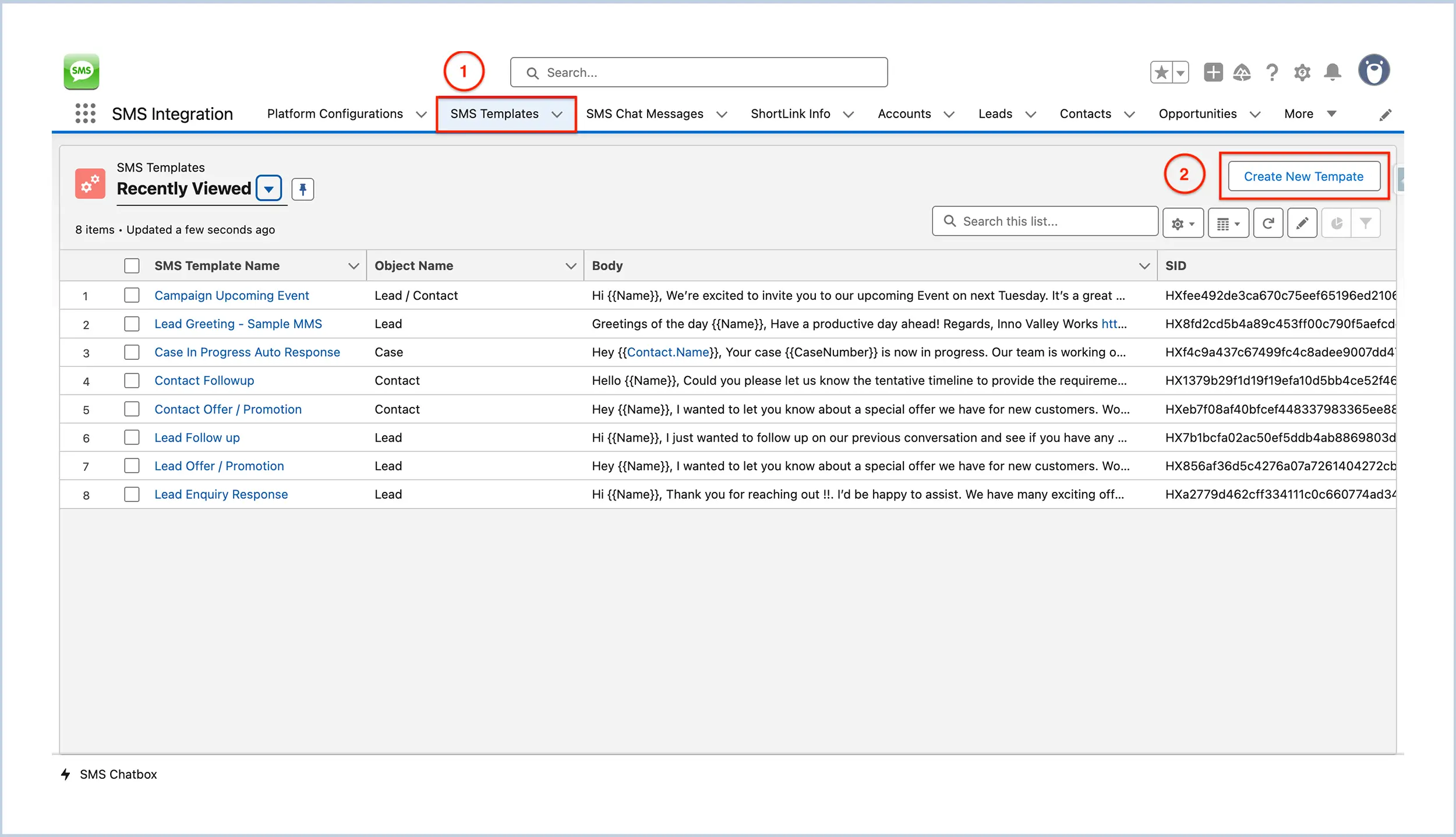
Click on the SMS Templates tab (marked as ① in the image).


SMS Template Creation
Easily build personalized SMS templates within Salesforce using WatBox, a powerful alternative to Twilio and SMS360.
Step 1 : Navigate to the SMS Templates Tab
-
-
This will open the SMS Template Page ②.
Step 2 : Fill in Template Details
-
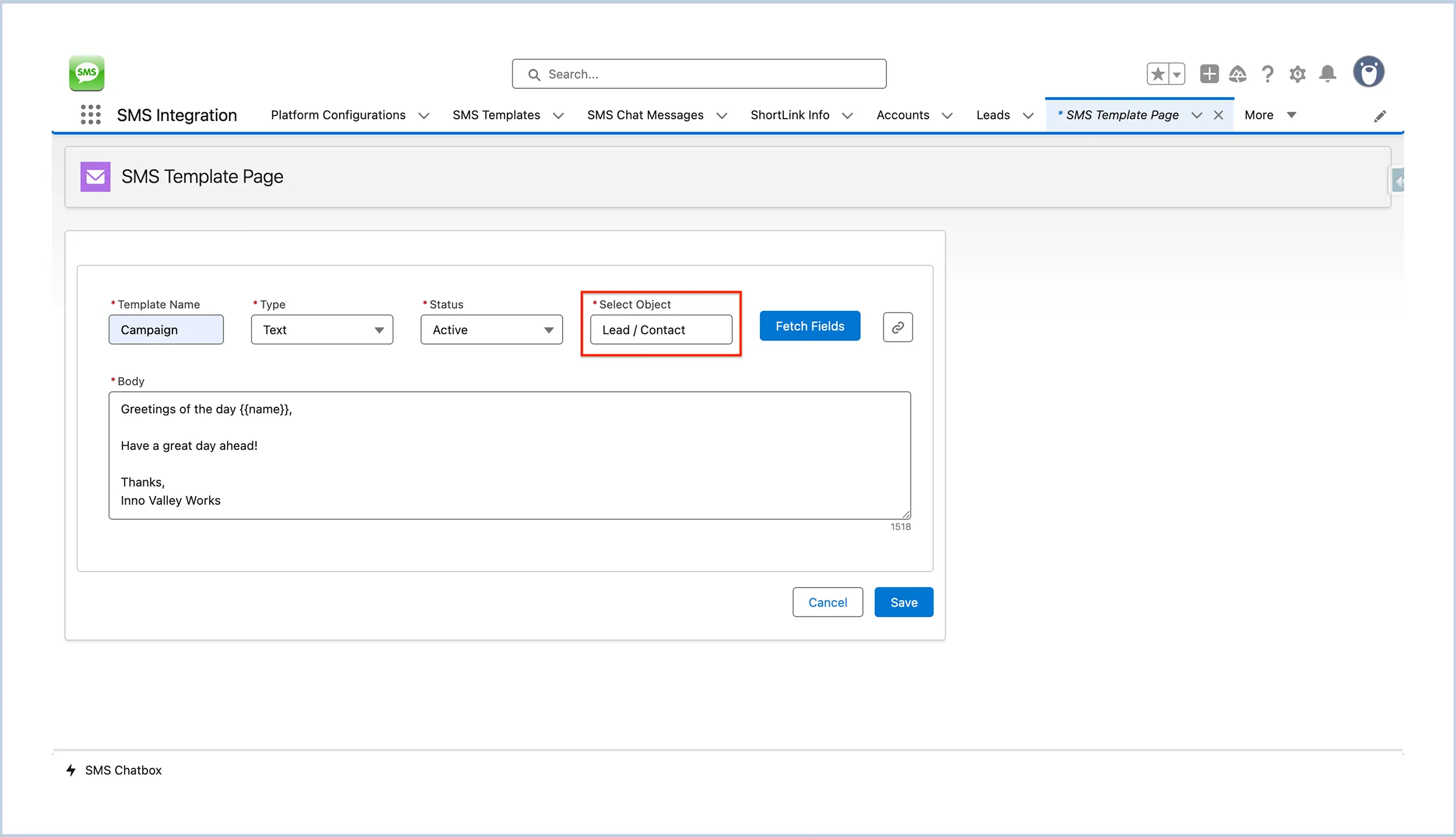
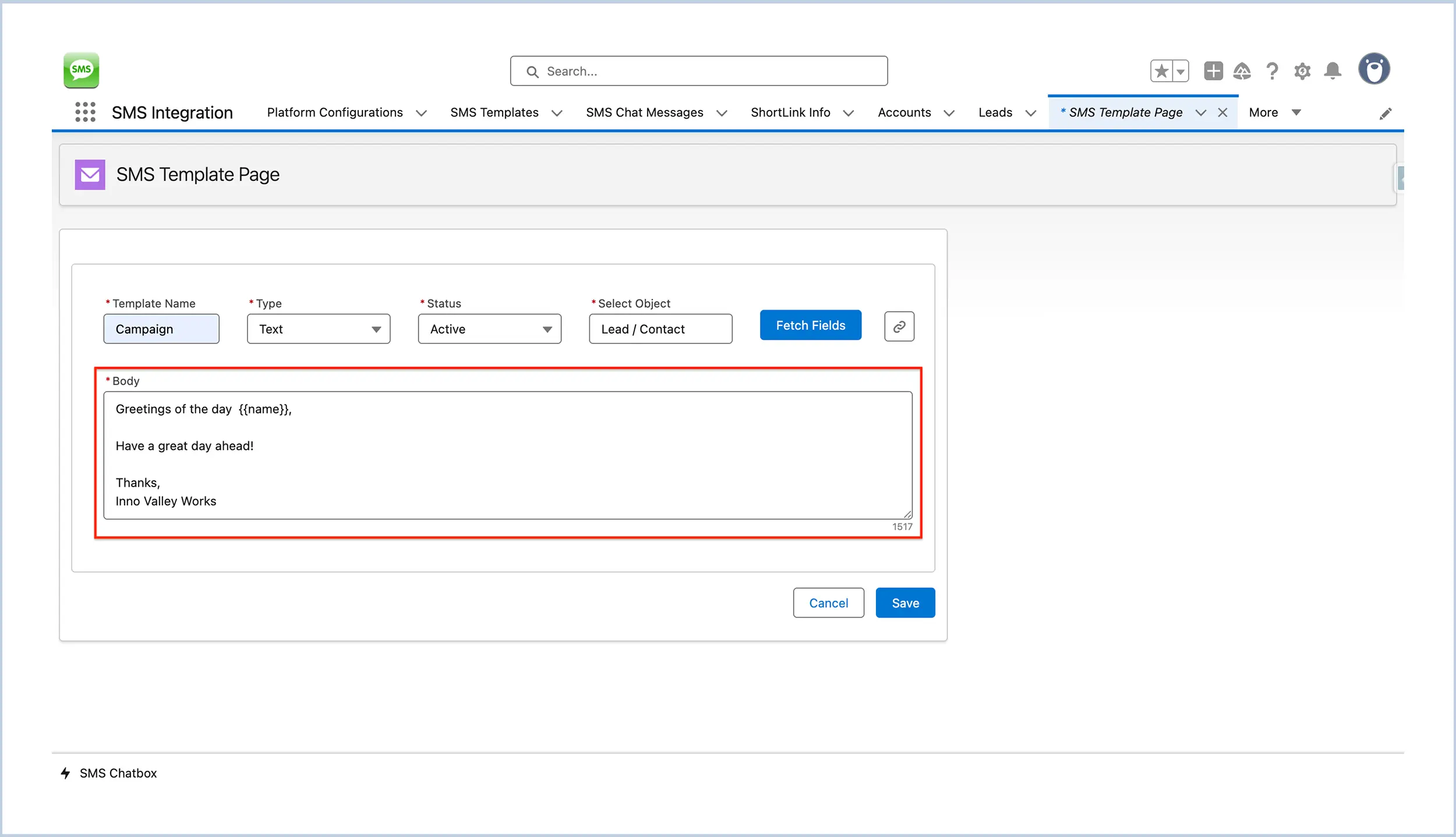
Template Name : Enter a name for your SMS template.
-
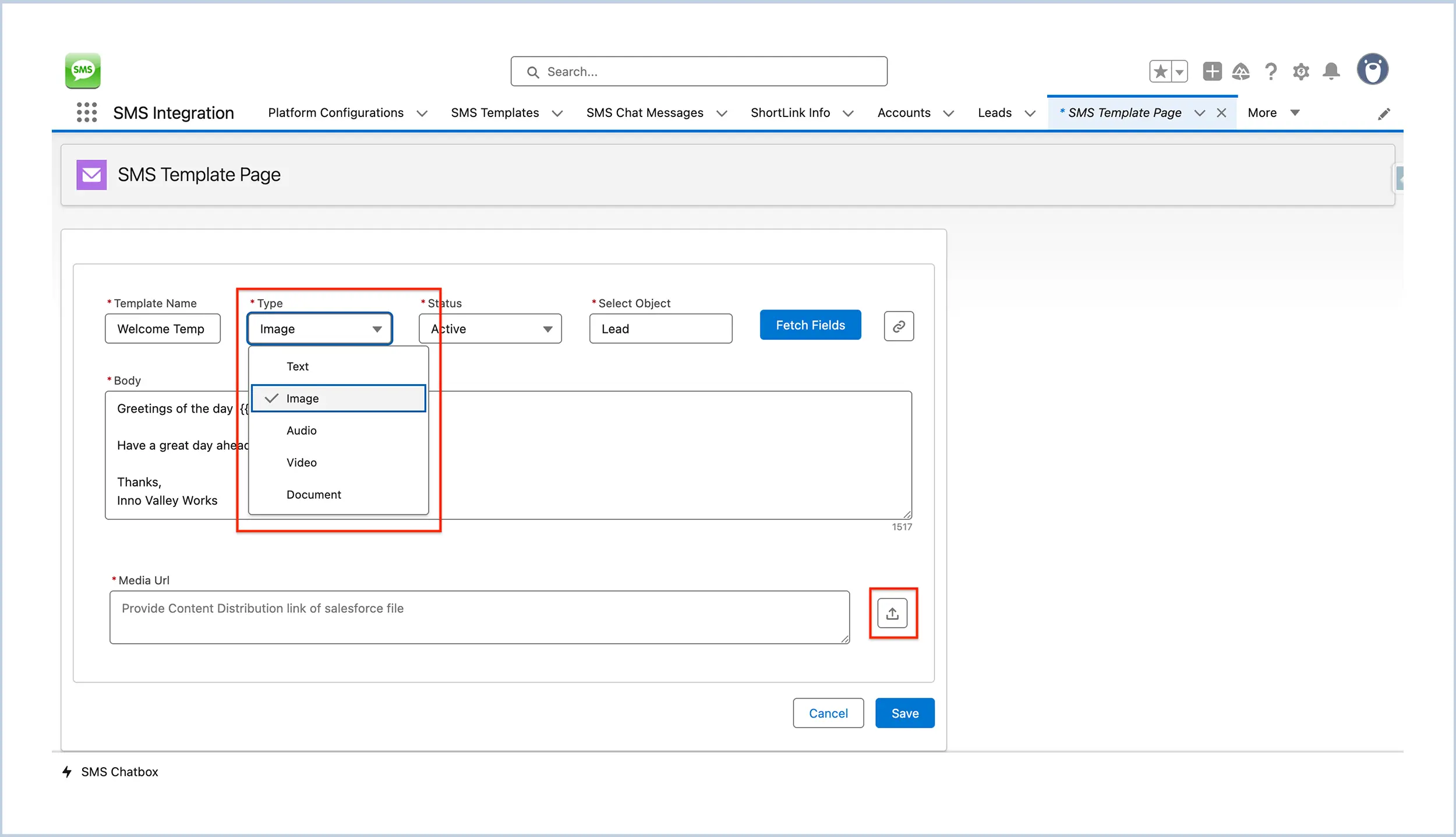
Type : Choose the type of template - options include Text, Image, Video, Audio, or Document.
-
Status : Select the status (e.g., Active or Inactive).
-
Select Object : Choose the object this template is for (e.g., Lead, Contact).
-
Note : Selecting Lead / Contact will allow the template to be used for Leads, Contacts, and Campaigns.
-
Step 3 : Fetch Fields from the Selected Object
-
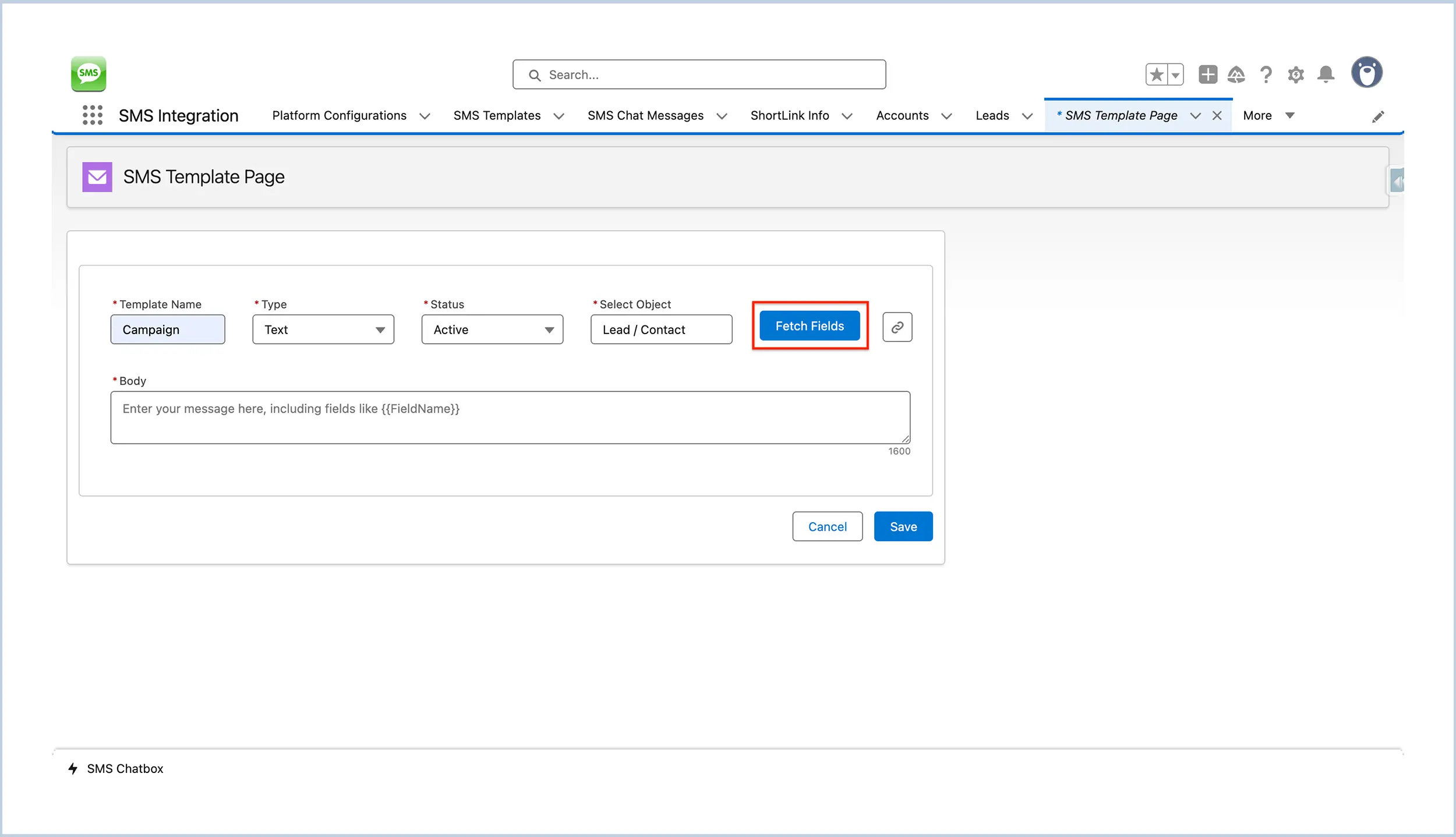
Click on the Fetch Fields button to retrieve available merge fields from the selected object. These fields can be used in the message body (e.g., {{FirstName}}).

Step 4 : Compose the Message
-
Body : Enter the text content of your message. You can include merge fields as needed.
Step 5: Add Media (for MMS Templates Only)
-
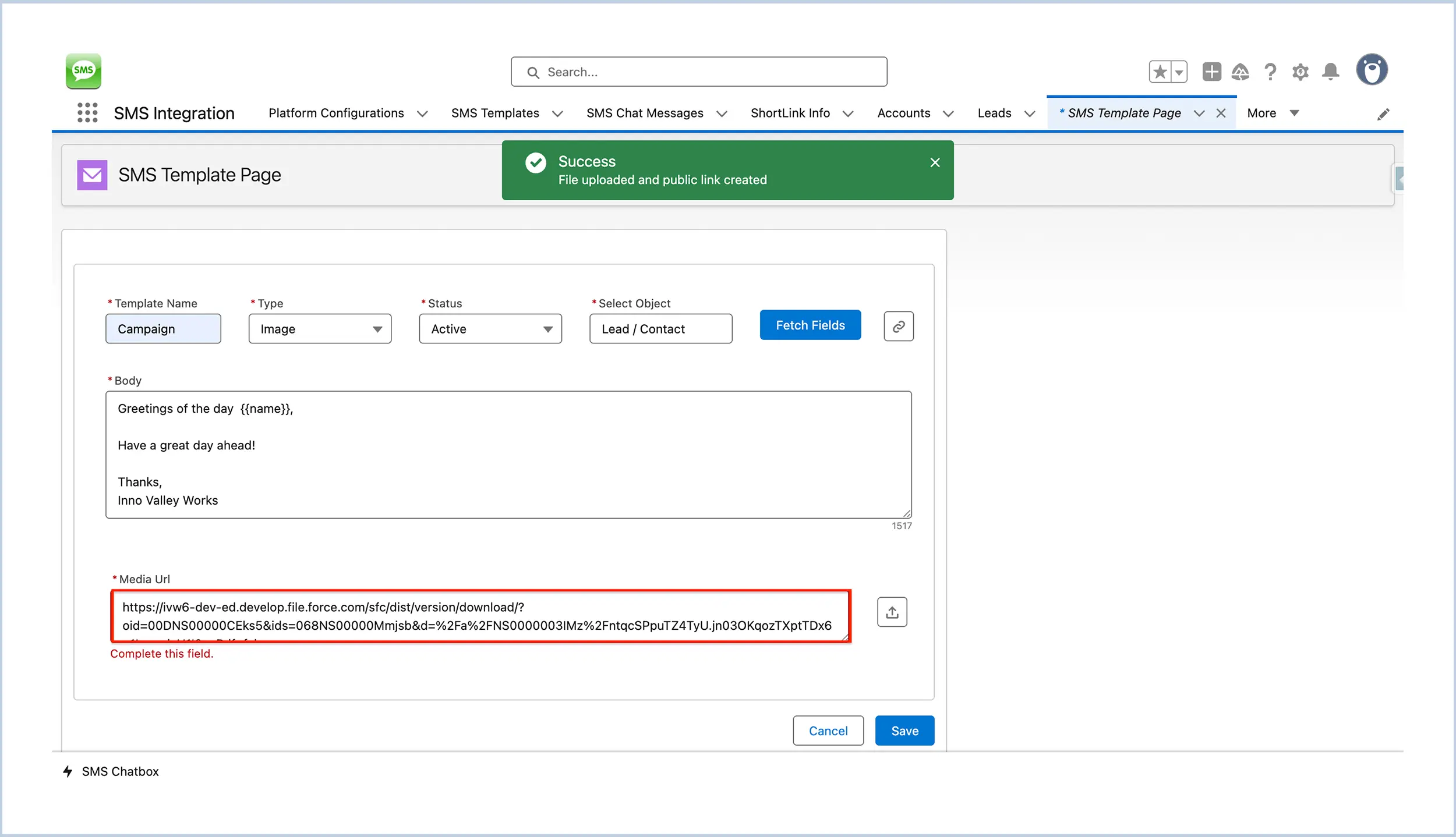
Media URL : Provide the Content Distribution URL from Salesforce ⑤.
-
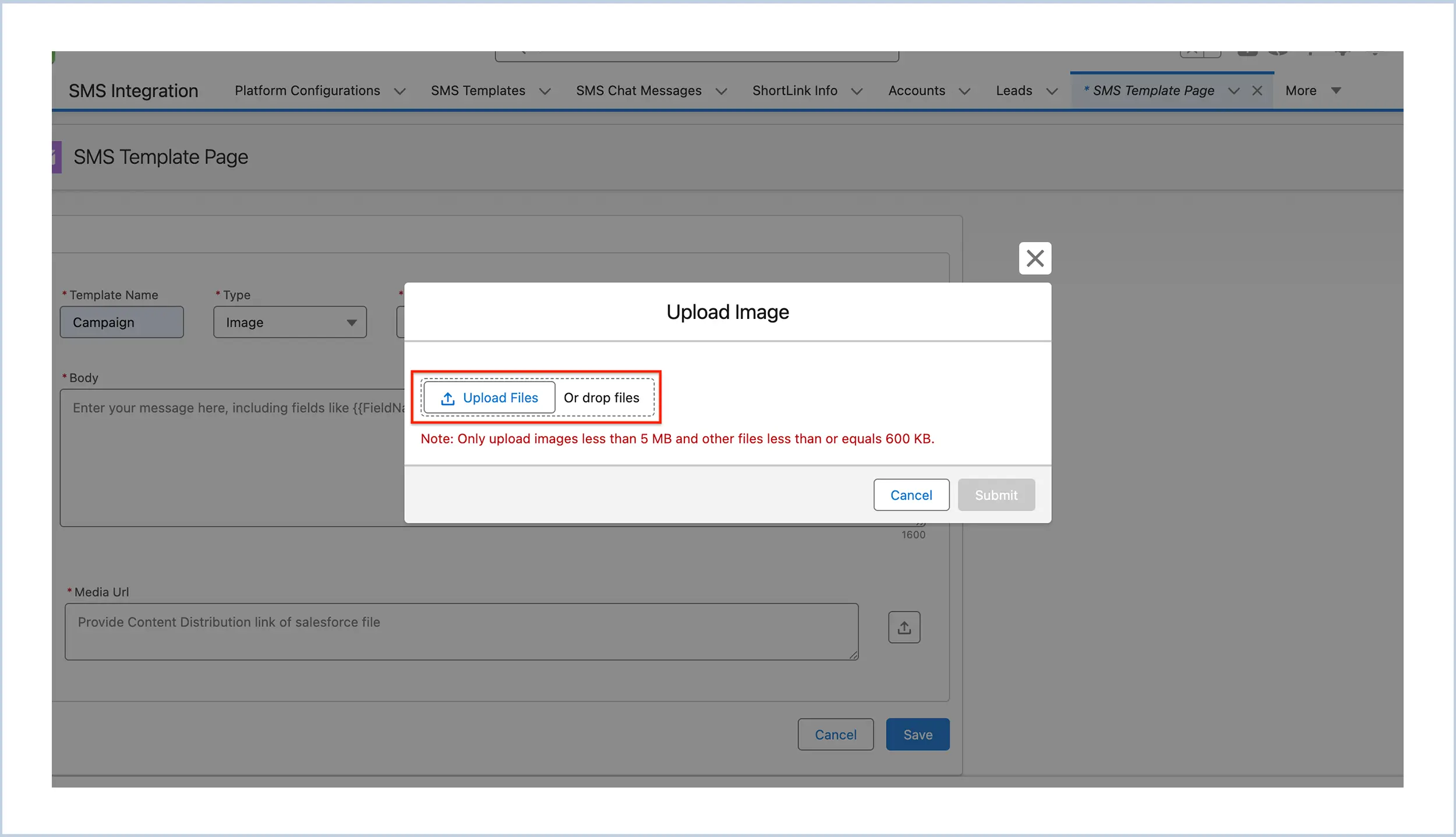
Or, click the upload icon to upload a media file ④.
-
NOTE : Media Url field will be only available when the template type is other than ‘Text’
-
Step 6 : Save the Template
-
Click the Save button to create your SMS template.
Get in touch with us
Please fill out the quick form and we will be touch
with lightning speed.


Level up SMS & Texting in Salesforce
Start with a 15 day trial for you to taste the CRM + WhatsApp interactions!