


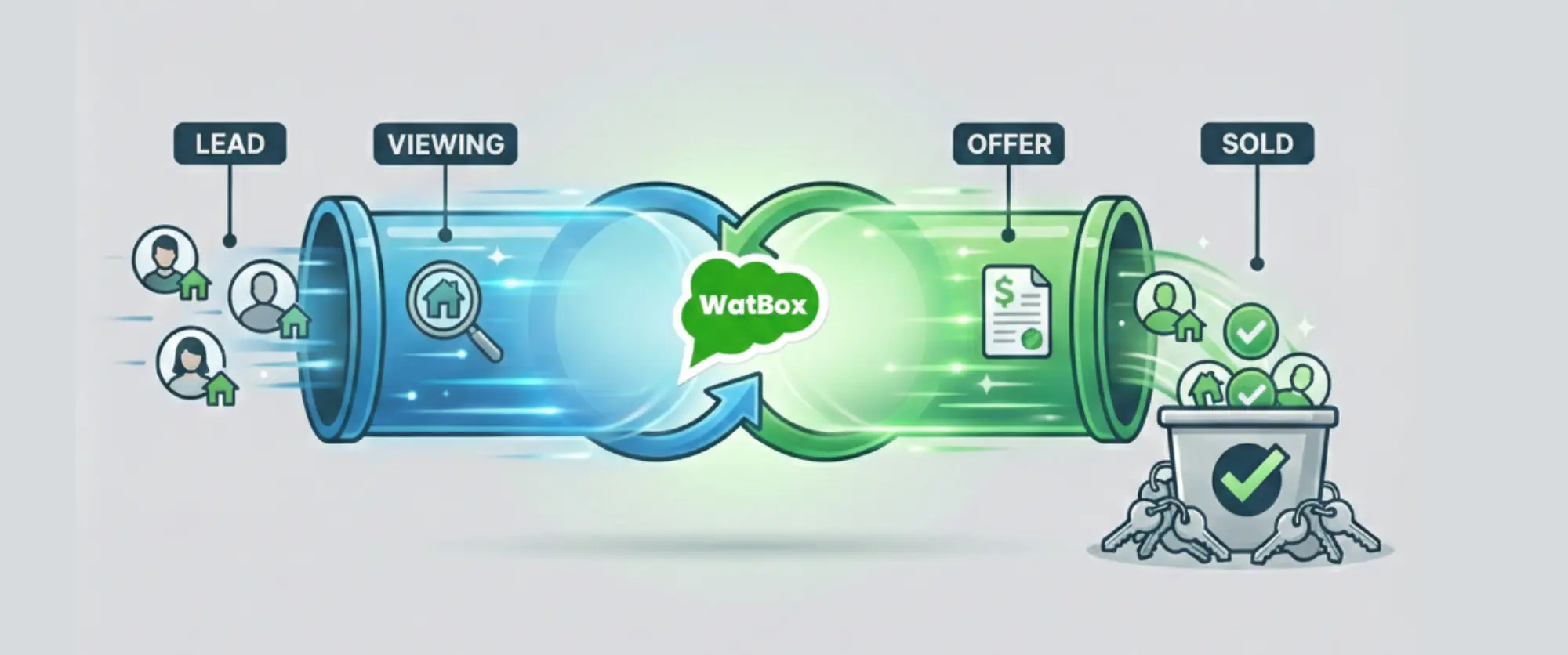

Speed Up Real Estate Sales Automation With WhatsApp Salesforce Integration
Stop Letting Cold Data Freeze Your Hot Leads
Are you a high-volume property manager watching leads go cold while your team manually enters phone numbers into Salesforce? It’s a painful reality: by the time an agent logs the data and sends a follow-up email, that prospect has already viewed three other listings.
You need speed, not more admin work. The solution isn’t working harder — it’s automating the connection between your most powerful communication channel and your CRM. Here is how to fix the lag and close deals faster.
Why Real Estate Needs a "Zero-Lag" Communication Strategy
In high-stakes markets — whether you are managing hundreds of rental units or closing luxury brokerage deals — speed is the currency of conversion. The traditional workflow of calling, leaving a voicemail, and logging activity in Salesforce is too slow for today’s instant-gratification buyer.
This is where a robust WhatsApp Salesforce integration changes the game. By bridging the gap, you stop the "swivel-chair" data entry and allow your agents to communicate where buyers actually live: on their phones.
The Hidden Cost of Manual Entry
- Lost Time: Agents spend up to 20% of their week on data entry instead of selling.
- Data Silos: When agents use personal WhatsApp accounts, that critical negotiation data never makes it into Salesforce.
- Slow Response: A delay of just 5 minutes can decrease your odds of qualifying a lead by 80%.
How to Speed Up Sales: A 4-Step Framework
To solve the "cold lead" problem, you need to deploy a WhatsApp integration in Salesforce that handles the heavy lifting. Follow this generic framework to set up a high-speed sales engine.
Step 1: Centralize Your WhatsApp Business API
Move away from individual devices. Connect a centralized WhatsApp Business API to your Salesforce instance. This ensures that every conversation is owned by the company, not the individual agent's SIM card.
Step 2: Map Your Fields for Bi-Directional Sync
Configure your integration so that incoming WhatsApp messages automatically create or update Leads and Contacts in Salesforce.
- Incoming: New inquiry → Auto-create Lead.
- Outgoing: Message sent → Log as Activity History.
Step 3: Automate the "Speed to Lead"
Don't wait for a human to type "Hello." Set up Salesforce Flows or Process Builder triggers. When a new lead lands in Salesforce from a portal (like Zillow or your website), trigger an immediate, pre-approved WhatsApp template message acknowledging the inquiry.
Step 4: Enable Bulk Messaging from the Dashboard
This is the game-changer for high-volume managers. Instead of messaging tenants or buyers one by one, use a tool that allows you to filter a list in Salesforce (e.g., "Lease Renewal Due - Next Month") and send a bulk WhatsApp broadcast directly from the dashboard.
Pro Tip: Always use approved template messages for initial outreach to maintain compliance with WhatsApp's policies .
Industry Benchmark showing the Power of Instant Response
Why bother with this setup? The metrics speak for themselves.
| Metric | Traditional Email/Phone | WhatsApp + Salesforce Automation |
|---|---|---|
| Open Rates | ~20% | 98% |
| Response Time | 90+ Minutes | < 5 Minutes |
| Agent Efficiency | Low (Manual Logging) | High (Auto-Logging) |
Case studies across the real estate sector consistently show that teams utilizing CRM-integrated messaging save an average of 15 hours per week on administrative tasks.
Stop Losing Leads to "Personal WhatsApp" Limbo
One of the biggest risks for brokerages is the "dark funnel" — conversations happening on agents' personal phones. When an agent leaves, those client relationships leave with them.
By implementing a formal WhatsApp Salesforce integration , you capture every interaction. You gain a 360-degree view of the client journey, ensuring that if an agent is out of the office, anyone on the team can pick up the conversation right from the Salesforce window without missing a beat.
Looking for a Deep Dive?
If you are ready to explore the nuances of compliance, templates, and advanced strategies, read our comprehensive guide to WhatsApp for Real Estate to master the channel.
The Watbox Advantage: Bulk Messaging Made Simple
Many integrations allow for one-off messaging, but scaling requires power. WatBox is designed specifically to solve the volume problem.
The Key Difference: Watbox allows you to trigger bulk messaging directly from your Salesforce dashboard. Whether you are announcing a new open house to 50 investors or sending payment reminders to 200 tenants, you can do it in clicks, not hours — all while keeping the data perfectly synced.
Ready to Automate Your Sales Pipeline?
Don't let another lead go cold while you type data manually. Experience the power of native bulk messaging and seamless sync.

Level up WhatsApp Integration with Salesforce
Start with a 15 day trial for you to taste the CRM + WhatsApp interactions!